|
 Related Items
 |
|
|
|
 Guide to Shipping Online Guide to Shipping Online
|
| |
|
|
| |
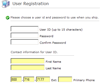
Step 1: Obtain your Account Number
The first thing you will need to ship with us online is an
account number. If it is your first time shipping with Jet
Delivery you can
Open An Account
online. If you have shipped with us in the past, you can locate
your account number in the upper right hand corner of any past
invoice. It will be labeled "Customer Number" or
Contact Us. |
 |
| |
|
 |
Step
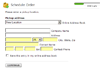
3: Book Your Shipment
You can
Schedule your shipment
online in four simple steps. Also, as you ship, you can build
your online address book, which will make your online shipping
experience even faster next time you ship to that location. |
| |
|
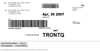 |
Step 4: Create Your Shipping Label
Print your shipping labels on regular paper. |
| |
|
|
|
|
| |
Still Have Questions?
If you have more questions
about online shipping or how to
Register to
Ship,
please feel free to contact us at 1-800-716-7177. Our Customer Service
representatives are available 24 hours a day, seven days a week. |
|
| |
|
|
|